

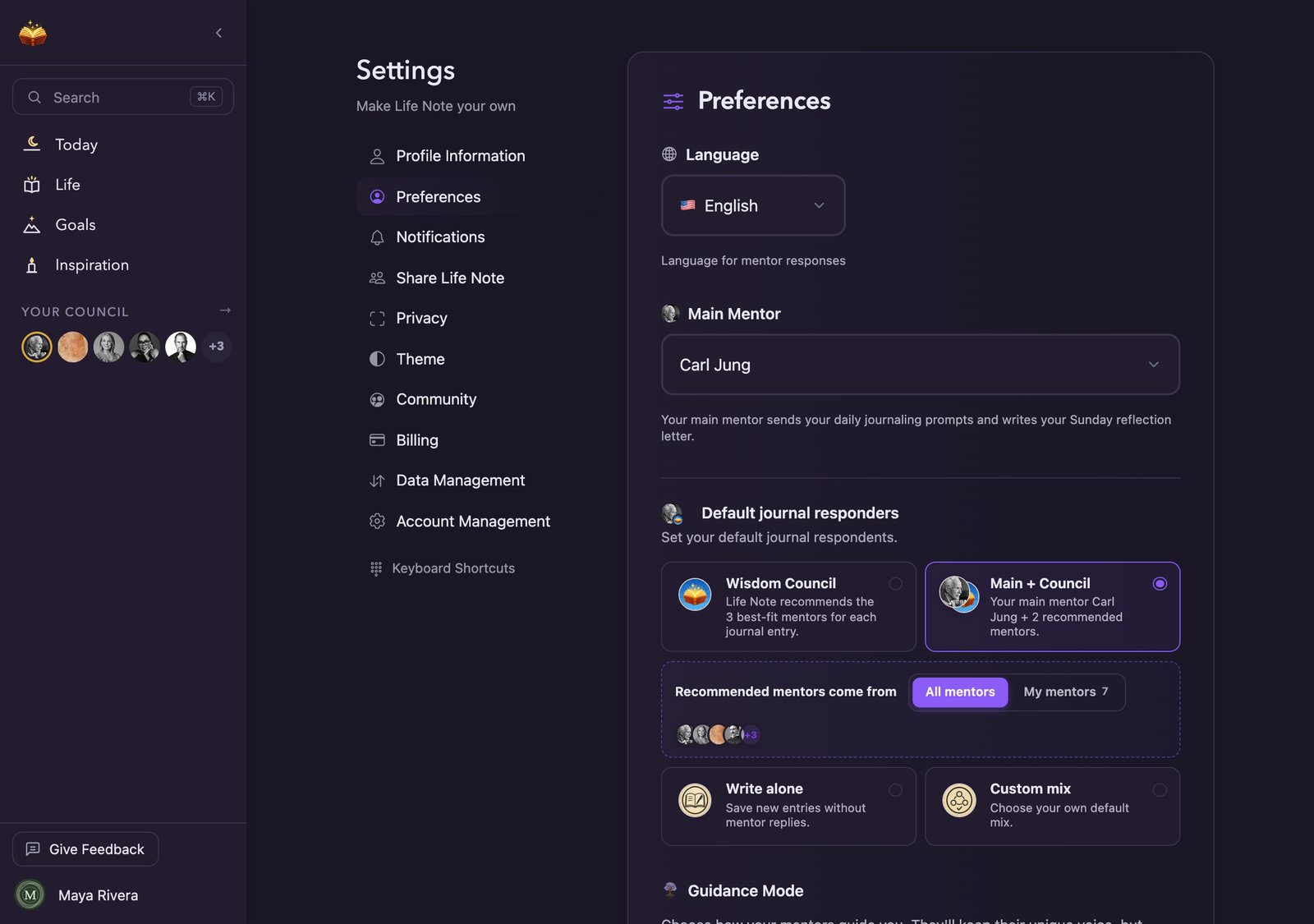
Settings on the web. Each section opens in its own pane.
On your phone
Tap the profile icon, then Settings.This layout comes with Life Note 1.0.116. If your Settings looks different, update the app from the App Store or Google Play.
Your subscription
If you subscribe through your phone, Billing shows your plan. Manage subscription takes you to the App Store or Google Play, where you can change or cancel it. If you pay monthly, Switch to yearly billing appears under Billing.Import & export
Importing and exporting happen on the web, where there is room for a file. Import & export on your phone gives you the address: Copy link, or Send to my computer to send it to yourself from your phone’s share sheet. See Bring your history in and Privacy and security.Log out
Log out now asks once before it signs you out, and shows the email you can sign back in with.Choose your app icon
Go to Settings → Appearance & language → App Icon and pick one of eight. Night is the default. The others are Morning sky, Forest, Midnight, Dusk, Nap, Spellbook and Classic. Your phone may show a short confirmation when the icon changes.On the web
Click your name at the bottom of the sidebar, then Settings. The same menu has Guide, Share Life Note, Join Discord and Logout.
Each section has its own address, so you can bookmark one. mylifenote.ai/settings#notifications opens Notifications directly.