


Choose who you learn from
Life Note offers guidance from over 1,000 mentors—philosophers, scientists, artists, spiritual teachers, entrepreneurs, and more. Each one brings a distinct worldview, shaped by real lives and real writings. Our goal? To deliver the most realistic simulated conversation, we aim to deeply understand the mentor’s worldview, values, and styles, then extrapolate from the conversation you are having.Where to find mentors: Mentor tab → Browse mentors
The mentor library
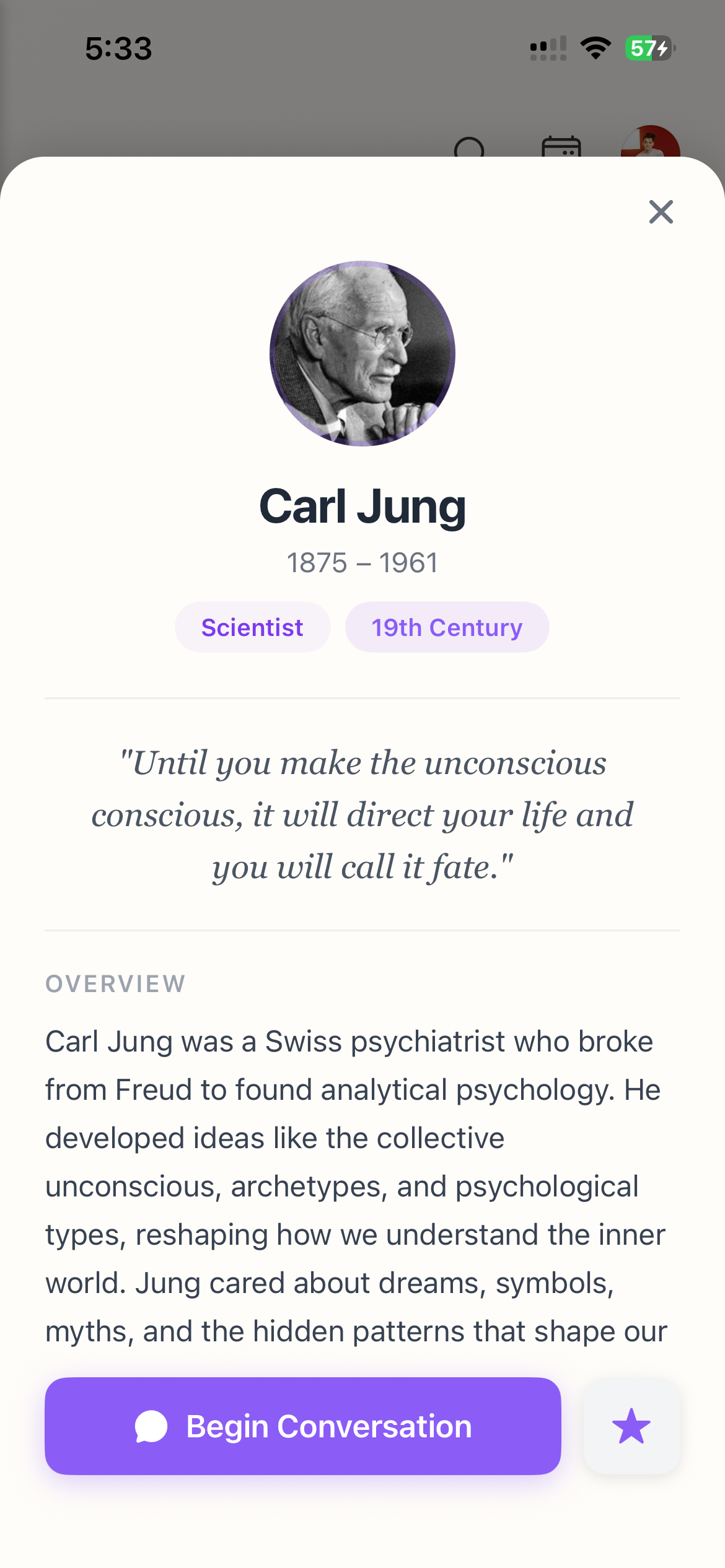
When you browse mentors, you’ll find them organized by craft, era, and what they are best for. You can click on the filter button and easily find the ones you are interested in. You can also click on each individual mentor and get to know them more. Each mentor card shows:- Their name and portrait
- Their category (what they’re known for)
- An overview
- Their strength and weakness
Understanding a mentor’s voice
Every mentor profile includes:1
Overview
A brief biography—who they were, what they believed, how they lived.
2
Best For
What kinds of questions or struggles is this mentor particularly suited for? Some excel at existential questions. Others make practical decisions. Others at creative blocks.
3
Keep in Mind
An honest note about this mentor’s limitations. Every great mind has blind spots. Life Note doesn’t hide them—it names them, so you can choose wisely.
4
A Quote
A representative line from their actual work—a taste of how they think and speak.
Following mentors
When you follow a mentor, they become part of your personal circle of guides:- They appear in your journal writing page
- You can choose the mentor you are following to respond to your journal
- Their wisdom becomes available for reference
Setting your main mentor
Your Main Mentor is the default voice that responds to your weekly reflection and asks you a daily question for you to ponder. This is the mind you’ll hear from most often.1
Go to Settings
Tap the profile icon, then Settings
2
Select Main Mentor
Choose from your followed mentors
3
Confirm
Your selection is saved automatically
Who replies by default
Your Main Mentor is one voice. Default Replying Mentor decides who answers every new entry — so you set it once instead of choosing each time you write.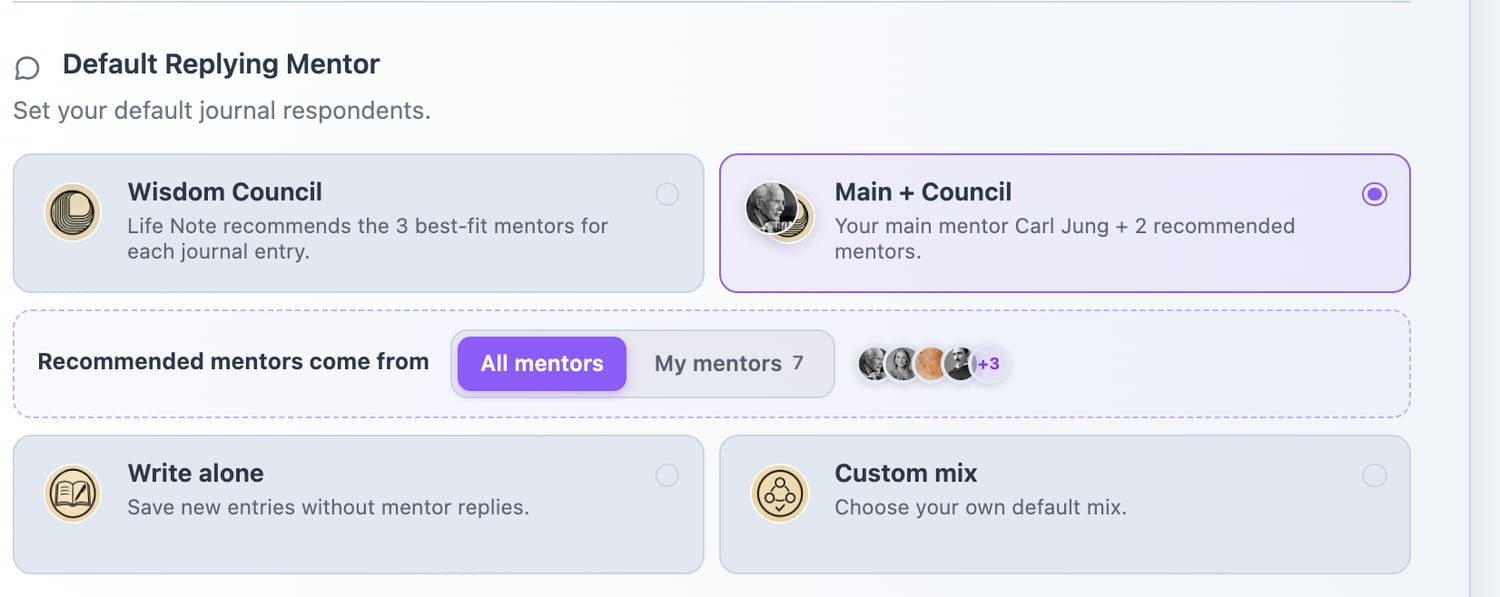
Settings → Default Replying Mentor
Wisdom Council
Life Note picks the best-fit mentors for each entry. Different writing brings different voices.
Main + Council
Your main mentor every time, plus two chosen for what you wrote.
Write alone
No replies at all. Some entries are not for anyone else.
Custom mix
Name the exact line-up you want to hear from.
Draw the council from your own mentors
The dotted row in the middle is the part worth knowing about. Recommended mentors come from lets you switch the council between All mentors and My mentors — the ones you follow.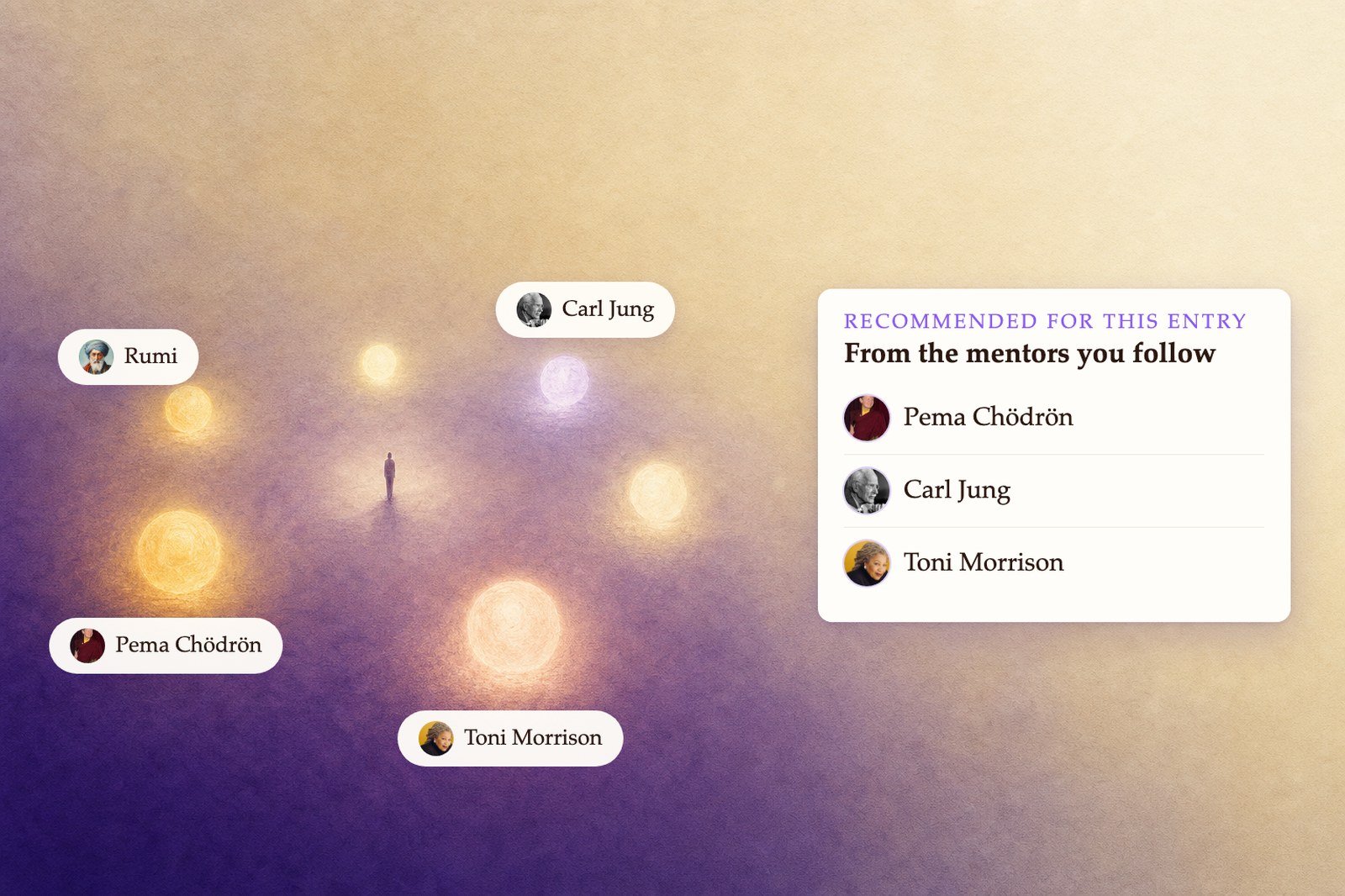
A council you assembled yourself
Blocking mentors
If a mentor’s voice doesn’t resonate—or actively bothers you—you can block them entirely. Blocked mentors won’t appear in your conversations, suggestions, or the Inspiration tab. To block a mentor on mobile:- Go to Settings → Blocked Mentors
- Tap “Select Mentors to Block”
- Search or browse, then tap “Block” next to any mentor
- Go to the Mentor tab
- Click on the top right button, then just tap block.