

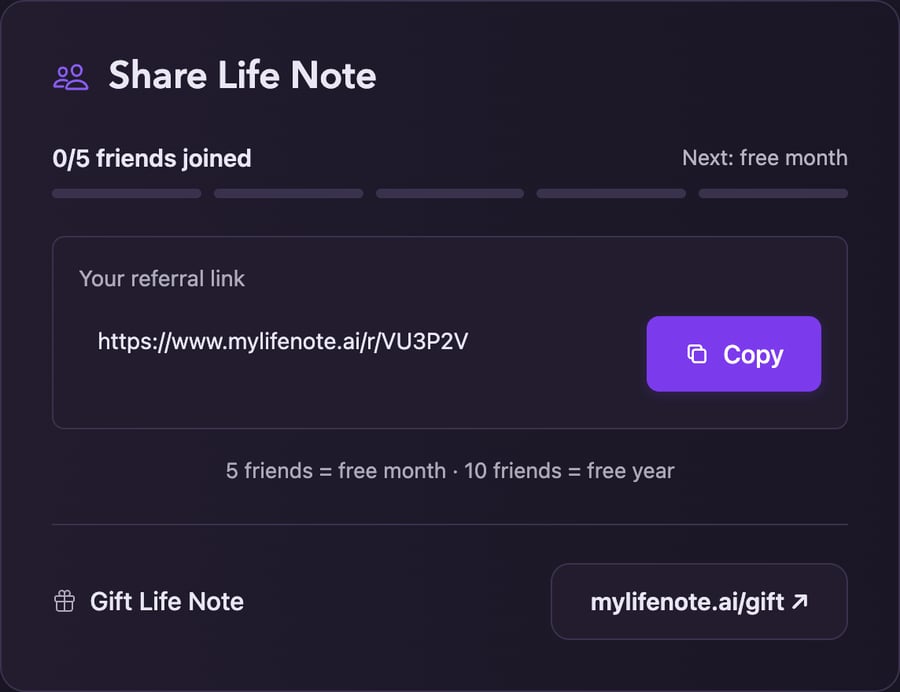
Settings → Share Life Note
What you get
5 friends
One month free.
10 friends
A full year free.
How it works
1
Find your link
Go to Settings → Share Life Note and copy Your referral link. On your phone, tap Share Life Note in Settings. It is yours permanently — the same link every time.
2
Send it to someone who'd use it
They sign up through your link and start journaling.
3
Watch it count
Settings shows how many friends have joined, and your free time is applied once you reach a tier.
Friends have to actually sign up and use Life Note for a referral to count. This is not a numbers game, and it is not meant to be — five people who genuinely journal is worth more to us than five hundred sign-ups who never return.
Give it as a gift
Someone you’d rather give it to outright? Gift Life Note sits right under your referral link, on your phone and on the web. It opens mylifenote.ai/gift.1
Choose their gift
One month or One year of Life Note Wise.
2
Make it personal
Add their name, yours, and a message if you like.
3
Choose when it arrives
They get a letter and a gift code by email at the time you pick. They open it and activate it on Life Note.