

The short version
Encrypted before storage
Every entry is encrypted with AES-GCM (256-bit) before it is written to our servers. In storage it is ciphertext, not readable text.
Three locks, not one
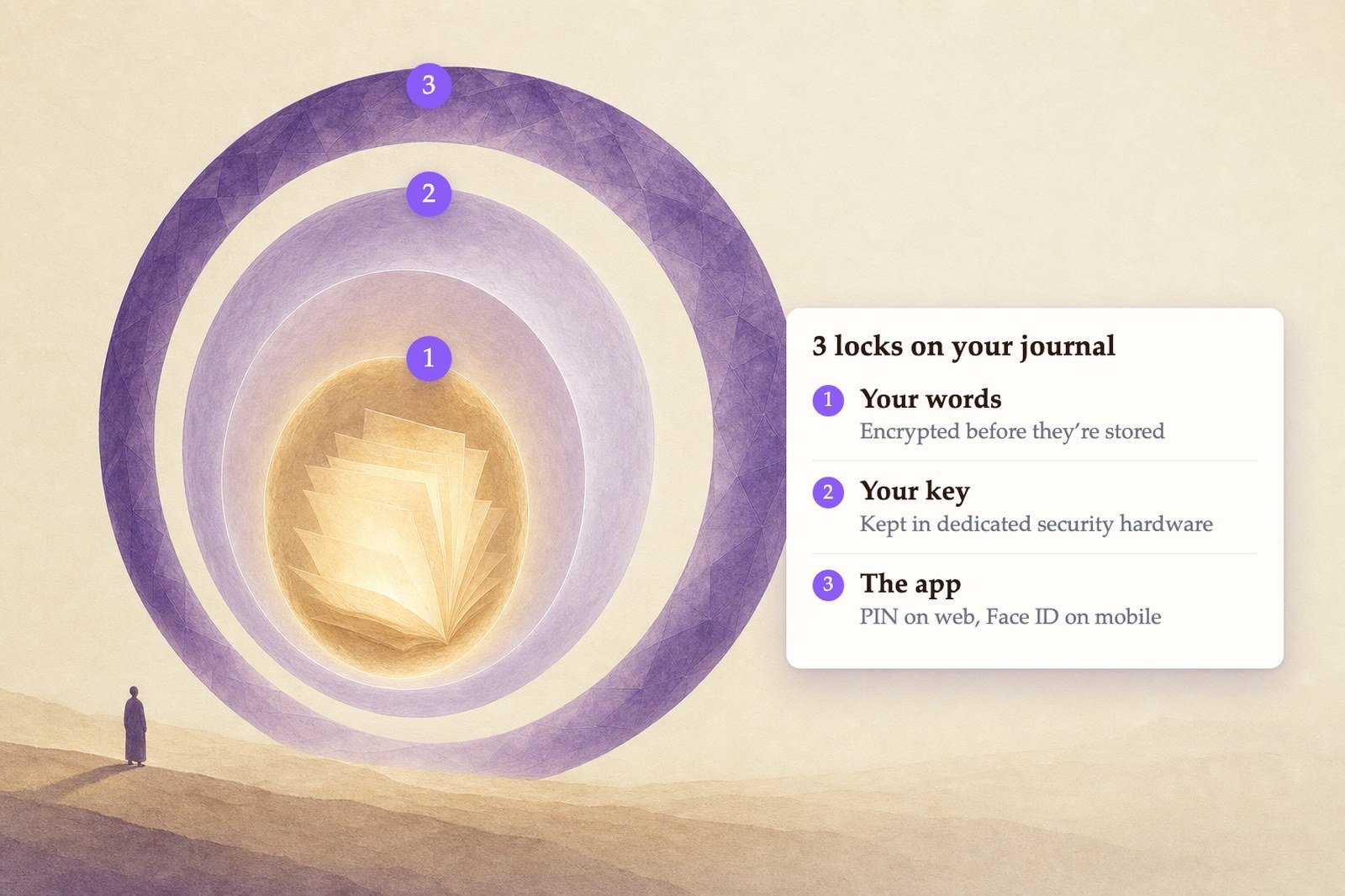
Your entry is locked, the key to it is locked and held in hardware we cannot read, and you can lock the app itself.
Never trained on
Your writing is never sold, never read by our staff, and never used to train an AI model.
Yours to take back
Export everything in a few clicks, or ask us to delete it all.
Three locks, not one
Most apps encrypt your data and stop there — which only moves the problem, because the key has to live somewhere. Life Note puts a lock on the entry, a lock on the key that opens it, and a lock on the app itself.1
Your entry is locked
When you write an entry, it is encrypted with AES-GCM and a 256-bit key before it is written to our servers — the same standard used by banks and governments. Every entry gets its own fresh initialization vector, and the cipher detects tampering. What sits in our database is ciphertext, and your key belongs to your account alone: one account’s key cannot open another account’s entries.
2
The key is locked too — and kept somewhere we cannot reach
Your key is never stored in readable form. It sits in our database only as ciphertext, wrapped inside its own encryption. The key that unwraps it is held in AWS Key Management Service, inside hardware security modules — not in our database, not in our code, not on our servers. It cannot be extracted from that hardware, by an attacker or by us. We can ask the hardware to perform an unwrap; we can never read the key itself. Every request is recorded in an independent audit trail.
3
The app itself can be locked
The first two locks are ours to maintain, and they run whether you think about them or not. This one is yours. Turn on a PIN, your fingerprint, or your face, and Life Note will not open at all without it — protecting your journal from whoever picks up your phone, not just from anyone attacking our servers. Turn it on →
What that means if we were breached
The realistic version of “hacked” is someone walking away with a copy of the database — a stolen backup, a leaked dump, a compromised disk. It is how journals actually leak. If that happened, what they would hold is your encrypted entries and your encrypted key. The database does not contain the key that opens either one. There is no password to crack inside it and no key file to find. The thing that would unlock it sits in separate infrastructure, behind separate credentials, in hardware that will not hand the key over to anyone.No system is unbreakable, and we are not going to tell you otherwise. What this design does is make the most likely failure — a copied database — a non-event, and make every legitimate use of your key visible in an audit trail afterward.
Also in place
- In transit. Everything travels over HTTPS.
- Short-lived credentials. Systems that request a key use scoped, short-lived credentials rather than long-lived static secrets.
- Encrypted backups. Backups carry the same encryption as the live database — they are ciphertext too.
When your entries are decrypted
Your entries are decrypted only to serve you: when you open your own journal, and when an AI mentor reads an entry in order to write a reflection for you. Providing that reflection requires that our systems can decrypt your entry at that moment. What does not happen:- Your entries are not read by our staff.
- They are not sold, and not handed to a third party.
- They are never used to train an AI model — not ours, not anyone else’s.
Life Note is not end-to-end encrypted in the strict sense, because an AI mentor has to read your entry to respond to it. We would rather say that plainly than use a term that sounds stronger than what we do.
Lock the app itself
Encryption protects your journal on our servers. A lock protects it from whoever picks up your phone or sits at your desk.- Web
- Mobile
Go to Settings → Privacy and turn on Privacy Lock. Set a PIN, and Life Note asks for it before it opens — and again after a period of inactivity. You can also hit Lock now at any time.
Export your data
On the web, go to Settings → Data Management → Export. On your phone, Settings → Import & export gives you the web address. You can choose: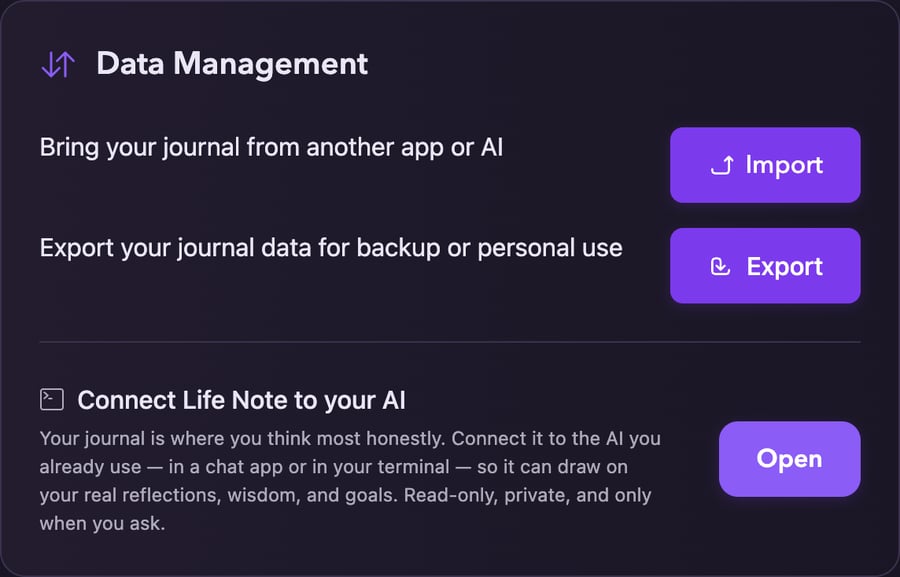
Settings → Data Management
- Format — CSV, JSON, Markdown, or a ZIP archive
- Date range — everything, or a slice of it
- What to include — your entries alone, or your entries plus mentor responses and journal analysis
Connect an AI agent
You can connect Life Note to Claude, ChatGPT, Cursor, and other apps that speak the Model Context Protocol — see Connect Life Note to your AI for how to set it up. When you do:- The connection is read-only. An agent can read your entries, mentor responses, past conversations, saved Wisdom, Practices, and Goals. It cannot write, modify, or delete anything.
- Every connection needs your explicit approval in your browser, and you see exactly which permissions you are granting before you approve.
- Each agent gets its own scoped token. We email you every time a new agent is connected, so you have a permanent record.
- You can revoke any agent — or all of them — at any time at mylifenote.ai/settings/agents. Revocation takes effect within seconds. The same page shows the last 30 days of agent activity.
Delete your account
You can do this yourself, in the app.- Web
- Mobile
Go to Settings → Account Management and click Delete Account, then confirm.
The full details
Privacy Policy
The complete policy, including your rights and children’s privacy.
How the encryption works
A longer write-up on AES-GCM and hardware-protected keys.