


Why journaling?
Research shows that journaling can improve mental health, increase goal achievement, reduce anxiety, and boost memory retention. Writing makes thoughts tangible, engages the prefrontal cortex, and reduces amygdala reactivity. Even just 15 minutes per session, 3–4 times a week, can produce lasting benefits. But writing on a blank page without feedback is hard to sustain. That’s why Life Note reimagines journaling—not as solitary writing, but as a conversation across time and space. Read more benefits of journaling here.Where to find it:Mobile: Open Life Note → Tap the journal bar at the bottom in the Today or Life tab.Web: On the sidebar → Tap the button next to “Journal” and start journaling.
Writing your first entry
Start with what’s on your mind. A frustration. A question. A moment that stuck with you. A dream you’re chasing. There’s no wrong way to begin. Just dump everything that’s on your mind. Don’t worry about grammar. Don’t worry about being profound. Just write. Research shows that around 150 words and 3 times a week tends to be the sweet spot—enough depth for meaningful reflection, but not so much that it becomes a chore.Don’t know what to journal?
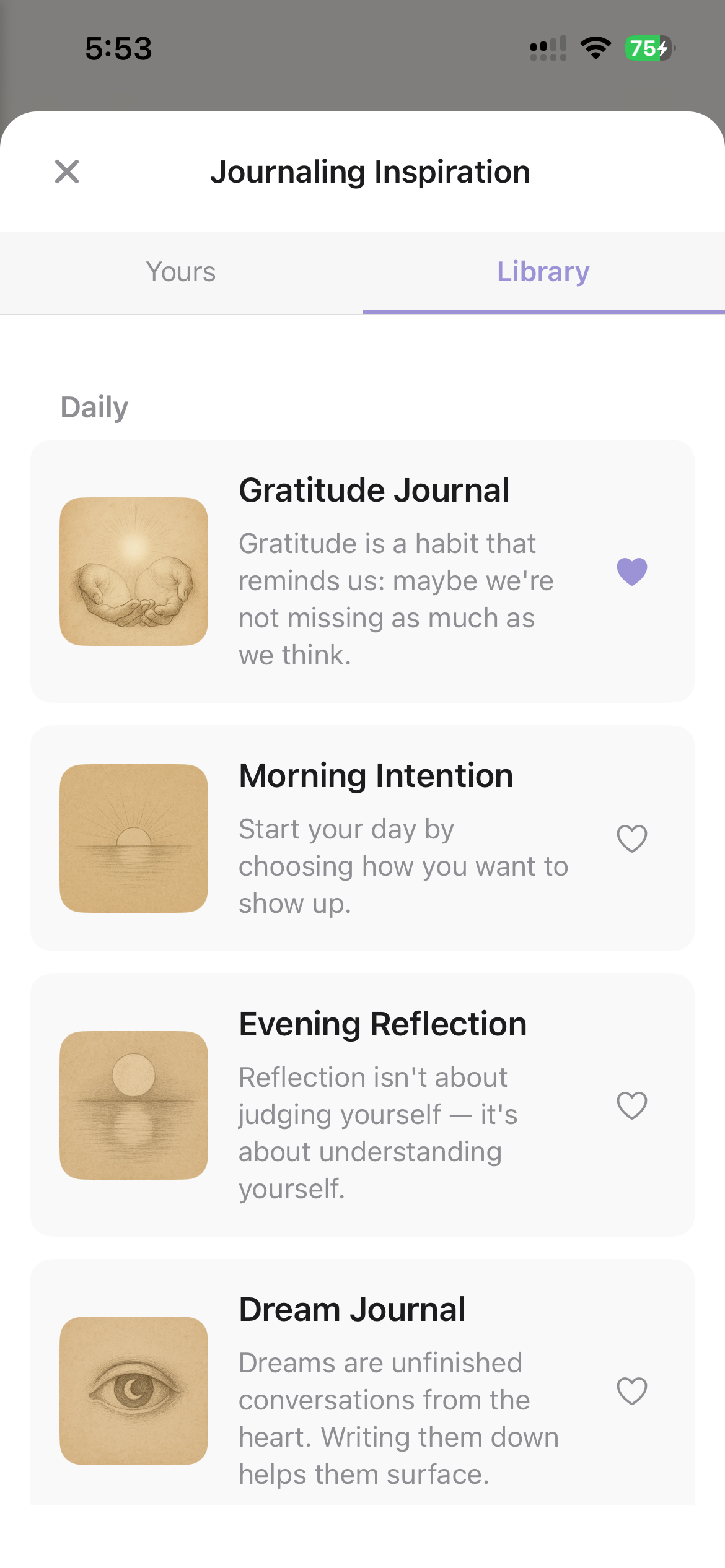
- Tap “Get Inspired” in the journal writing screen, and from there, you can find a curated library of prompts to journal with. You can also collect journaling inspiration by highlighting the questions mentors asked you earlier for future journaling sessions.
- Turn on notifications, and you’ll receive “A Thought to Ponder Today” daily. Your main mentor will ask you a question designed to unlock reflection without forcing it.
Other ways in
Typing is one way in. It is not always the easiest — some days the thought arrives faster than you can type it, some days a photograph says it better, and some days it is already written, on paper.
The composer toolbar on web

And on mobile — your mentor, prompts, voice, photo and scan
Speak it
Tap Voice in the composer and talk. Life Note transcribes what you said straight into your entry, where you can edit it like anything else. Pause and resume as much as you like; each recording can run up to five minutes. It is the fastest way to journal when you are walking, driving, or simply too tired to type — and it tends to be more honest, because you don’t get to edit yourself mid-sentence.Your audio is sent for transcription and then deleted. Only the transcript is kept, and it is yours alone.
Add a photo
Tap Add Photo to attach an image to an entry — the view from a trip, a person you wrote about, a page you want to remember. Photos live inside the entry itself and appear in your timeline alongside the words.Scan a paper page
If you keep a paper journal, you don’t have to retype it. In the mobile app, use Scan Journal to photograph a page with your camera or pick one from your library. Life Note extracts the handwriting into text you can edit and save as a normal entry.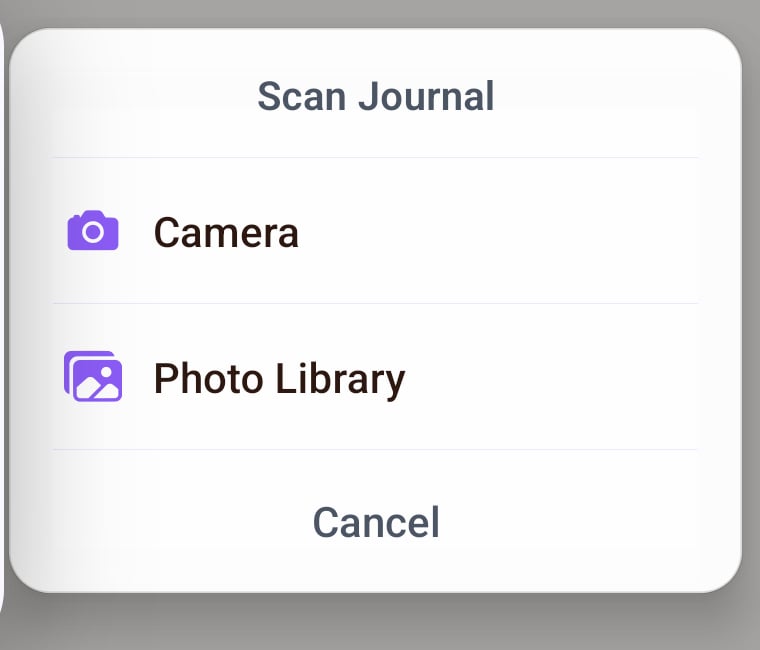
Scan Journal — mobile only
However it lands, it becomes an ordinary journal entry. Your mentors respond to a spoken entry exactly as they would to a written one.
The Wisdom Council
After you are done writing, just hit save. Life Note chooses your Wisdom Council for you. The Wisdom Council reads your entry and matches you with the most qualified mentors whose perspectives are most relevant to what you’ve written. You will also see the qualifications and the reasons why the mentors are recommended to you. You can also choose your own mentors. By going to the mentors tab and following the mind, the mentors will appear in your dropdown in the future. Once you are ready, just tap save. And if you want to go deeper after reading the responses? Then you can take the conversation further by chatting with the mentors.Listen instead of reading
Every mentor response can be heard aloud. Tap the play button on a response and your mentor reads it to you. A small player appears and stays with you — skip back fifteen seconds, forward fifteen, pause, or stop. It keeps playing as you move around the app, so you can listen to a long reply while you scroll your timeline or start writing the next entry. It works on mentor responses and inside Deep Chat.Listening is available in English, 繁體中文, 简体中文, 日本語, Español, Français, Italiano, Português, हिन्दी and Українська.