


Collecting wisdom
Where to find it:
- To save: In any mentor response, select text → Tap “Save to Wisdom”
- To browse: Home → “Wisdom Collection” section → “See All”
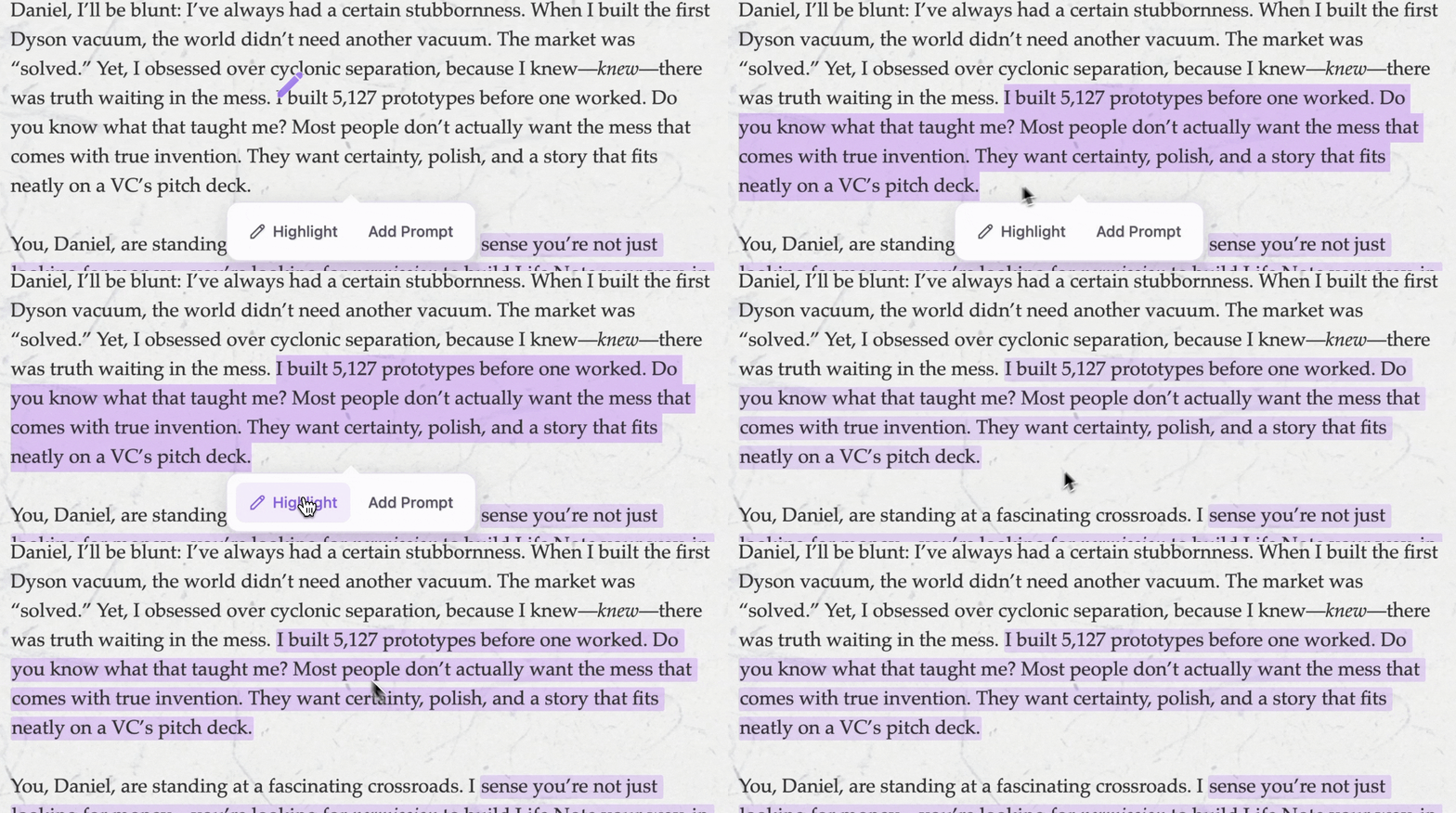
- Long-press (on mobile) or click and drag (on desktop) to select the text
- A menu appears—tap “Highlight”
- The passage is added to your collection and will appear highlighted when you revisit the mentor responses
Wisdom Cards

- Open your Wisdom Collection
- Tap any saved insight
- Select “Create Card”
- Choose a design style
- Save to photos or share directly
Browsing your collection
Your Wisdom Collection grows with you. Open it to see every insight you’ve saved, organized, and accessible. You can:- Search for specific words or themes
- Filter by mentor—see all wisdom from Marcus Aurelius, or only Maya Angelou’s insights
- Scroll through time—watch how the ideas that move you have evolved