> ## Documentation Index
> Fetch the complete documentation index at: https://guide.mylifenote.ai/llms.txt
> Use this file to discover all available pages before exploring further.
# Memory Orb
> Memories are created as you journal with Life Note.
 As you journal, Life Note captures key moments from your entries and organizes them into different types—whether it's a memory of gratitude, a decision, a connection, a challenge, or a breakthrough (a total of 10+ types) —mentors can now understand your life in a more humane way.
Also, the memories are awaiting you as **Memory Orbs** in a gallery, so you can revisit them anytime. Each orb carries the moment and the 1–2 emotions you felt, making reflection feel lighter and more delightful than rereading long entries.
As you journal, Life Note captures key moments from your entries and organizes them into different types—whether it's a memory of gratitude, a decision, a connection, a challenge, or a breakthrough (a total of 10+ types) —mentors can now understand your life in a more humane way.
Also, the memories are awaiting you as **Memory Orbs** in a gallery, so you can revisit them anytime. Each orb carries the moment and the 1–2 emotions you felt, making reflection feel lighter and more delightful than rereading long entries.
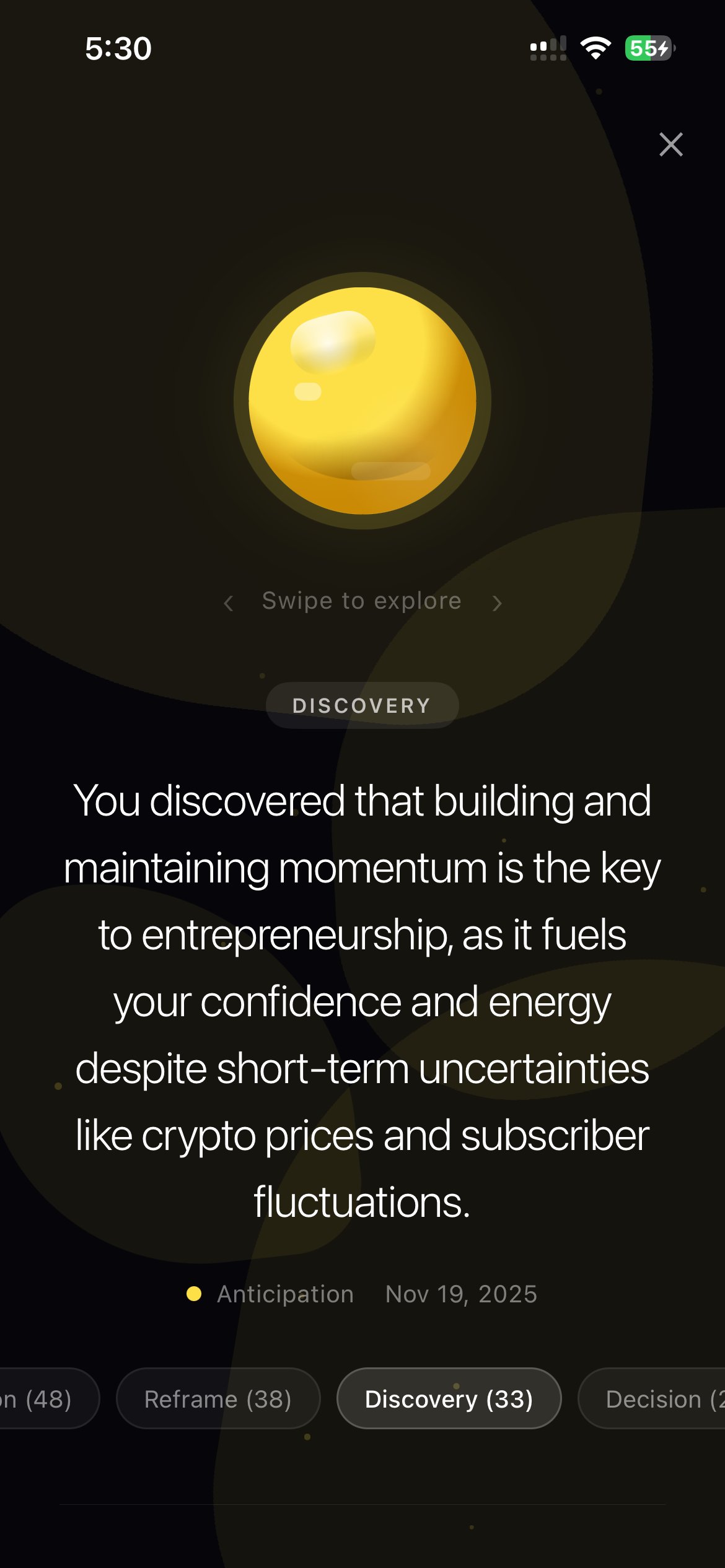 The memory orb design is inspired by the movie *Inside Out 2.* The idea of revisiting my memories through an orb has stuck with me since I first watched the movie, and I'm really excited to bring it into Life Note as this brings us closer to our vision: an inner universe shaped by your journaling, where self-awareness and growth feel more immersive, fun, and useful.
**Where to find it on mobile:** Today's Tab → **"Your Memories"** section (unlocks after 15 journal entries)
**Where to find it on the web:** On the homepage → click the right arrow at the top of the card carousel (on the right side of the screen) → your inner portrait is at the last position.
***
***
The memory orb design is inspired by the movie *Inside Out 2.* The idea of revisiting my memories through an orb has stuck with me since I first watched the movie, and I'm really excited to bring it into Life Note as this brings us closer to our vision: an inner universe shaped by your journaling, where self-awareness and growth feel more immersive, fun, and useful.
**Where to find it on mobile:** Today's Tab → **"Your Memories"** section (unlocks after 15 journal entries)
**Where to find it on the web:** On the homepage → click the right arrow at the top of the card carousel (on the right side of the screen) → your inner portrait is at the last position.
***
***